Google Ads · Status at source date: Product documentation
Google Ads adds Commerce Audience Sharing for eligible commerce media campaigns
Google’s Commerce Audience Sharing guidance sets out how eligible commerce media partners can share selected first-party audiences with brands or sellers, with links, permissions and approved-domain limits.
What changed
Google’s Commerce Audience Sharing guidance describes a controlled way for retailers or marketplaces to share selected first-party audience segments with advertising partners such as brands or sellers. A commerce partner can use the arrangement to support trusted partners and drive traffic back to its own site, while an advertising partner can combine the shared segments with its own first-party data across eligible commerce media campaigns.
The feature has two intended operating models. A commerce partner can share audiences with campaigns it runs for an advertising partner, or with a partner operating in a self-service capacity. In both cases, a campaign using the shared audience may direct traffic only to the commerce partner’s approved website domain. The advertising partner sees only the segments the commerce partner chooses to share.
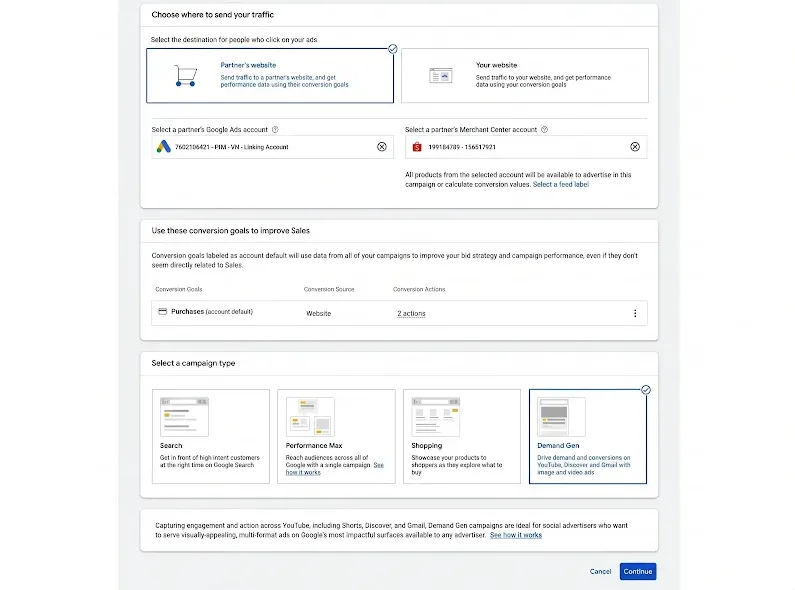
Only eligible commerce media network campaigns can use the feature. Before an audience can be applied, the advertising partner’s Google Ads account must be linked to the commerce partner’s Merchant Center account and advertising data-sharing account. In Data Manager, teams can check the Google Merchant Center and Advertising partners entries under Connected Products, then review and approve pending linking requests. Google says accepting the data-sharing link can create conversion actions, such as a partner-reported purchase, but it does not give the commerce partner direct access to the advertising partner’s Google Ads account.
The commerce partner must also have relevant segments in its data-sharing account, and both sides must meet the normal requirements for the audience type. Customer Match eligibility, for example, still applies to both accounts. The workflow then sits in Audience Manager: a commerce partner selects segments, chooses Share with partners and selects an actively linked advertising partner. The advertising partner finds segments marked Shared, chooses the campaign and targeting settings, and adds the audience segments.
For advertisers, the practical starting point is the partnership and permissions model, rather than a new targeting toggle. Confirm the partner that owns the data, the segments they will share, the approved destination domain, the two required account links and the conversion actions created by the linking process. Commerce partners can see campaign performance and spend metrics, while advertising partners can see details of shared segments and certain website conversion metrics.
Google’s help page establishes the workflow and constraints, but it does not confirm that every retailer, marketplace or brand is eligible today. Barry Schwartz reported the new help page on 18 September; Google Ads Help remains the original product source.
Why it matters for advertisers
This is a retail-media collaboration workflow with a tightly controlled data boundary: eligible campaign type, selected audience access, an approved domain and separate account-link permissions.
What to check next
- Check whether the campaign qualifies as commerce media network inventory.
- Confirm both Data Manager links and review any new conversion actions.
- Document who owns the shared segments and approved destination domain.
- Use Audience Manager to verify Shared badges before applying a segment.
Sources & contributor credit
- Original product documentation · Google Ads Help
Original product source; no individual byline on the page.
- Subsequent reporting · Barry Schwartz
Discovery and secondary reporting credit; not the original product source.

Original creator unverified
Credits reflect the editor's latest changes. Original authorship has not been independently verified for this version.
Attribution evidence and limitations
Full attribution review pending.
A source link alone does not establish original authorship.
Original image and video creators have not yet been verified.
- Published on this site
- Article updated
This update reflects the dated source reporting. Availability may have changed. Further coverage of this same development will be added to this page.