Google BigQuery · Status at source date: General availability
BigQuery conversational analytics in Connected Sheets becomes generally available
Google Cloud’s 27 October 2026 BigQuery release notes mark conversational analytics in Connected Sheets as generally available. The feature brings a natural-language query workflow into the spreadsheet interface for working with BigQuery data.
What changed
Google’s documentation says Gemini can translate questions into SQL, execute the queries and summarise the results. From the Gemini side panel, users can ask follow-up questions and insert live, refreshable objects into the workbook. The first use may prompt the user to authorise BigQuery access.
General availability describes the release status. It does not mean every spreadsheet user automatically has the required account access, permissions or service entitlement. Teams should check the applicable BigQuery and Workspace requirements before planning a shared reporting workflow.
What this changes for reporting teams
A natural-language interface can shorten the route from a business question to a query, but the question still needs a precise definition. Specify the date range, conversion definition, currency and grouping when asking about campaign outcomes. Otherwise, a plausible answer may address a different question from the one a stakeholder intended.
Validate an initial result against an established report before using it to guide budget decisions. Inspect the query and the underlying data definitions where possible, especially when joining advertising spend with sales or customer records. Attribution differences and incomplete data remain relevant regardless of how the query was written.
Refreshable objects also need an owner and a clear refresh expectation. A workbook that looks current can still contain an older result if its refresh has not completed. Document the source and update schedule alongside any metric shared outside the analysis team.
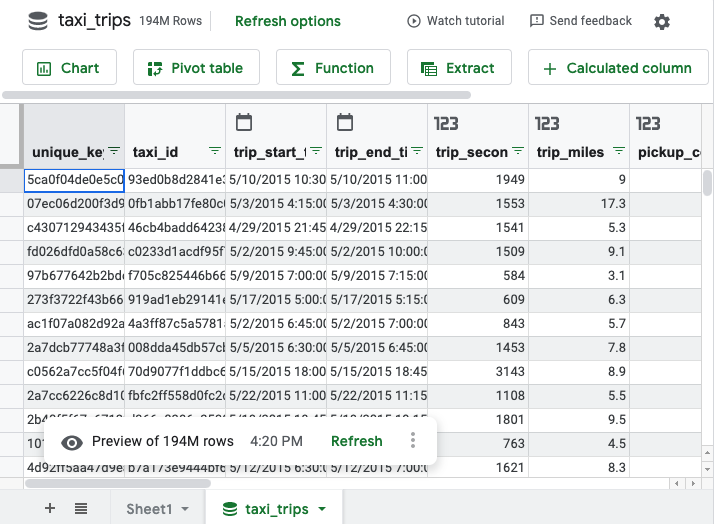
The article image is an existing Google documentation illustration of Connected Sheets data, used as interface context; it is not a screenshot of the new conversational panel. The confirmed release date is 27 October, while the accompanying help instructions were checked on 28 October. This article reports the platform release and does not recommend a third-party analytics vendor.
Sources & contributor credit
- Official sourceGoogle
General availability recorded in Google Cloud release notes on 27 October 2026.

Original creator unverified
Credits reflect the editor's latest changes. Original authorship has not been independently verified for this version.
Attribution evidence and limitations
Full attribution review pending.
A source link alone does not establish original authorship.
Original image and video creators have not yet been verified.
- Published on this site
- Article updated
This update reflects the dated source reporting. Availability may have changed. Further coverage of this same development will be added to this page.