Industry · Status at source date: Newsletter archive
Conversion Tracking Diagnostics in Copilot: no-prompt mode
Microsoft introduced Conversion Tracking Diagnostics as a new Copilot capability that auto-detects UET tag issues, conversion goal misconfigurations, and tracking gaps. The Conversion Goals view surfaces statuses for each goal: "Recording conversions," "Tag inactive," "No recent conversions," "Unverified": with one-click remediation paths for each issue type.

What changed
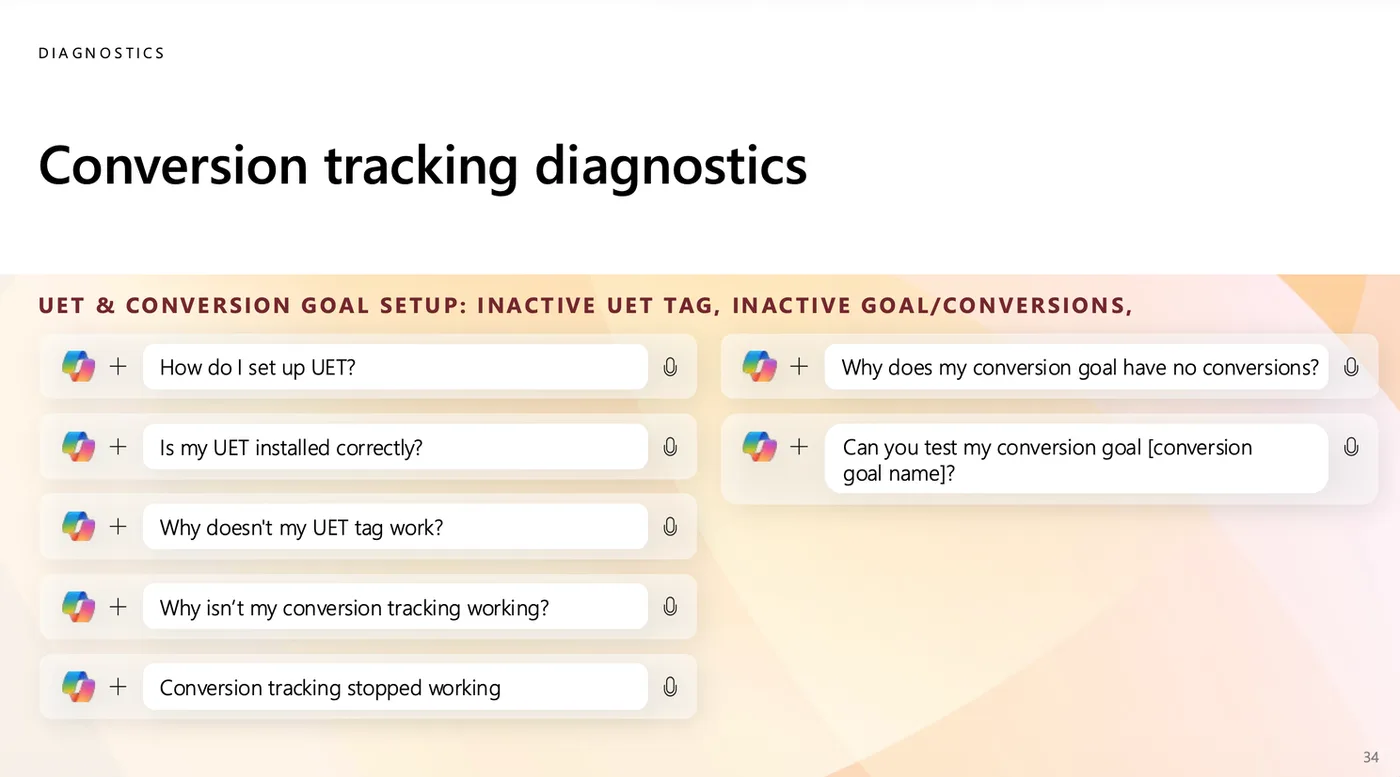
A notable design choice from the Activate deck: "You don't really need to type any prompts for Conversion tracking diagnostics." The system auto-presents issues rather than waiting for a query. Practitioners can still ask Copilot directly with prompts like "How do I set up UET?", "Is my UET installed correctly?", "Why doesn't my UET tag work?", "Why isn't my conversion tracking working?", "Why does my conversion goal have no conversions?", or "Can you test my conversion goal [conversion goal name]?": but the core value is that no prompt is required to surface tracking issues.
Why it matters for advertisers
For you, this means Microsoft Ads conversion infrastructure can now be diagnosed without a measurement specialist in the room. Worth running on every active Microsoft Ads account during the next monthly health check to surface previously invisible tracking issues. Particularly relevant for accounts where Pixel-only conversion tracking has produced silent measurement gaps: auto-detection closes the diagnostic loop.
Perspective from the original PMC newsletter.Sources & contributor credit
- Newsletter coverage · Paid Media Collective newsletter
Original newsletter text, contributor labels and media for this update.

Original creator unverified
The original creator has not yet been verified. Newsletter curation and publication do not establish original authorship.
Attribution evidence and limitations
Full attribution review pending.
A source link alone does not establish original authorship.
Original image and video creators have not yet been verified.
- Published on this site
This update reflects the dated source reporting. Availability may have changed. Further coverage of this same development will be added to this page.
Original newsletter text and archive evidence
Conversion Tracking Diagnostics in Copilot: no-prompt mode
Microsoft introduced Conversion Tracking Diagnostics as a new Copilot capability that auto-detects UET tag issues, conversion goal misconfigurations, and tracking gaps. The Conversion Goals view surfaces statuses for each goal: "Recording conversions," "Tag inactive," "No recent conversions," "Unverified": with one-click remediation paths for each issue type.
A notable design choice from the Activate deck: "You don't really need to type any prompts for Conversion tracking diagnostics." The system auto-presents issues rather than waiting for a query. Practitioners can still ask Copilot directly with prompts like "How do I set up UET?", "Is my UET installed correctly?", "Why doesn't my UET tag work?", "Why isn't my conversion tracking working?", "Why does my conversion goal have no conversions?", or "Can you test my conversion goal [conversion goal name]?": but the core value is that no prompt is required to surface tracking issues.
For you, this means Microsoft Ads conversion infrastructure can now be diagnosed without a measurement specialist in the room. Worth running on every active Microsoft Ads account during the next monthly health check to surface previously invisible tracking issues. Particularly relevant for accounts where Pixel-only conversion tracking has produced silent measurement gaps: auto-detection closes the diagnostic loop.
Source captured . No explicit first-contributor label was provided for this update.