Meta Ads · Status at source date: Account observation
Meta creative-enhancement defaults appear disabled in a new-ad observation
A documented new Meta ad setup showed creative-enhancement switches off; it is a useful workflow observation, not evidence of a platform-wide default.
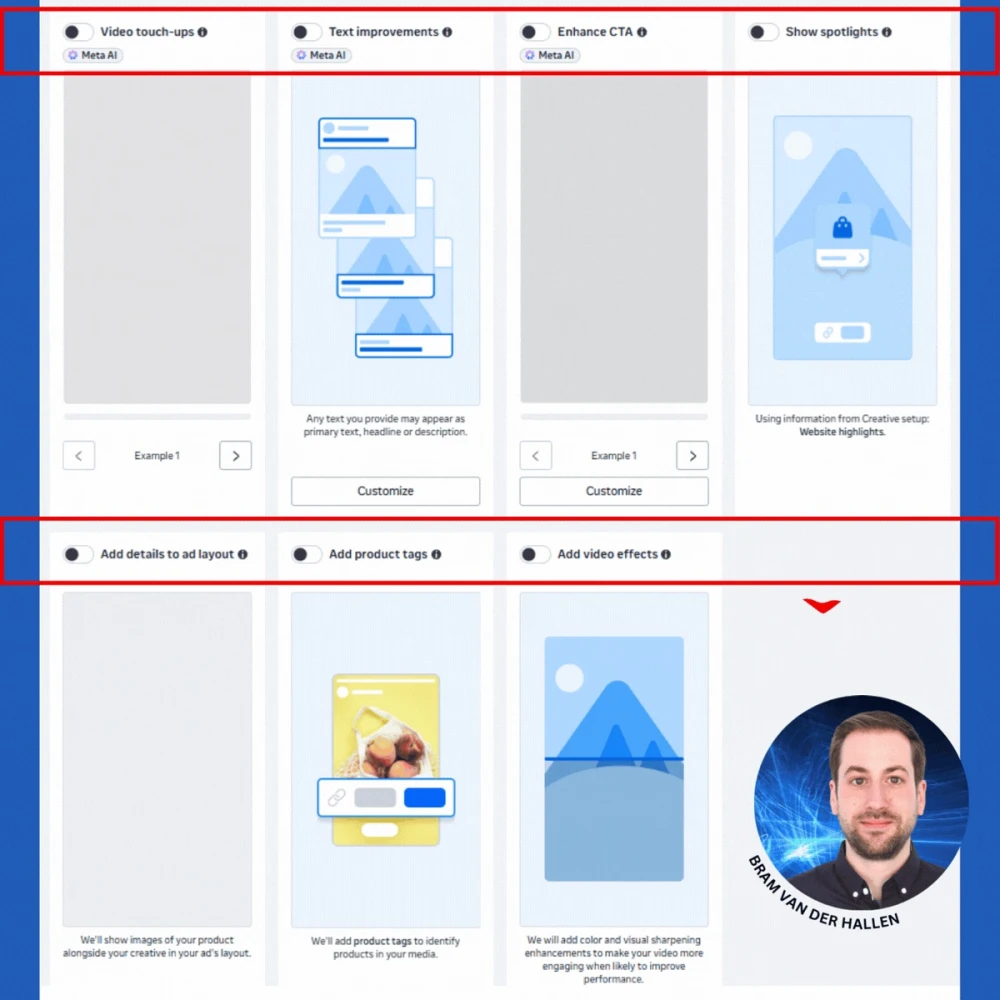
What changed
Bram Van der Hallen documented a new Meta ad setup in which creative-enhancement switches appeared disabled, including text-generation and visual-treatment controls. The observation is useful because the creative panel can materially change what a user sees and what is delivered. It is still one account-level interface observation. It does not show that the same defaults apply across every campaign objective, account, market or ad-creation workflow.
The distinction matters for teams who use templates, duplication and shared launch processes. A setting that is off in a newly created ad may be on in an older campaign, a duplicated asset, a different objective or another account. Conversely, a team that assumes creative enhancements are always enabled can omit a check that prevents unintended copy or visual treatments. The reliable claim is narrow: Bram’s documented setup displayed the switches in the off position.
Treat the post as an amendment to existing Meta creative-enhancement coverage, rather than a separate product launch. The existing coverage already addresses the pre-publish review of enhancements; this adds an observed starting state in a new-ad setup. Keeping the event framed as an observation makes the timeline clear and avoids describing one interface area as unrelated releases.
The operating habit is simple. During build, record the intended state of each enhancement; during approval, inspect the preview and final settings; after launch, save the configuration alongside the supplied creative. If an account has different defaults from Bram’s observation, record that difference rather than assuming an error or a platform-wide rollout. In client reporting, describe this as a workflow control: the value is avoiding unplanned changes to approved creative, not claiming that the switches improve performance.
Bram Van der Hallen remains the original contributor and source of the interface screenshot. The newsfeed links to his original post and preserves the qualification that availability and scope remain unverified. The accompanying screenshot was checked against his original post and retained locally with his credit. It illustrates the observed setup and does not establish a platform-wide change.
Why it matters for advertisers
Teams should verify creative-enhancement states during build and approval instead of assuming platform-wide defaults.
What to check next
- Record intended enhancement settings.
- Inspect previews and final settings before approval.
- Save configuration evidence with supplied creative.
Sources & contributor credit
- Original account observation and interface screenshotBram Van der Hallen
Source post documents switches in the off position in a new-ad setup.

Original creator unverified
Credits reflect the editor's latest changes. Original authorship has not been independently verified for this version.
Attribution evidence and limitations
Full attribution review pending.
A source link alone does not establish original authorship.
Original image and video creators have not yet been verified.
- Published on this site
- Article updated
This update reflects the dated source reporting. Availability may have changed. Further coverage of this same development will be added to this page.