Google Trends · Status at source date: Product update
Google Trends adds category filters to the new Explore page
Google Search Central announced category filters for the new Trends Explore page, allowing users to narrow the context of the trends they inspect.

What changed
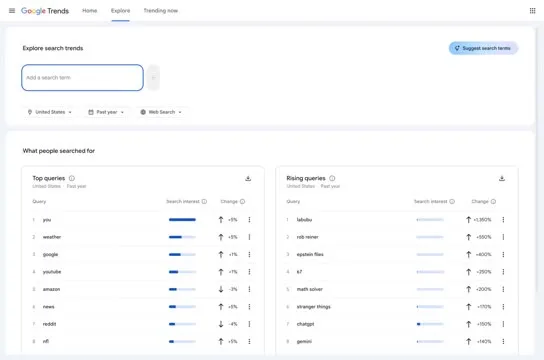
Google Search Central’s post announces category filters on the redesigned Trends Explore page. Its practical tip is to choose a category without entering a query, allowing discovery of top-searched terms for the selected category, region and time period. The retained screenshot shows the category menu and a Books & Literature submenu, illustrating the control rather than proving demand for a particular product.
The change adds context to exploration. It does not convert Trends into an account’s search-term report or establish that a popular query is a profitable advertising opportunity. The archive credits Google Search Central as the announcement author and Barry Schwartz as the person who shared the update; those are different contributions.
Why it matters for advertisers
PMC analysis: category-first research can reveal how people describe a need before a buyer narrows the work to familiar product names. Start with a specific commercial question, such as which themes deserve a seasonal landing page or a new creative test. Record the region and time period with the category so another colleague can reproduce the exploration. Otherwise, two plausible-looking charts may answer different questions.
For ambiguous terms, repeat the exploration with the category context made explicit and investigate why results differ. The useful output is a short set of hypotheses that can be checked against the business’s offer and its own data. A term may be attracting informational curiosity, an unrelated meaning or a temporary news spike. Before adding it to a paid campaign, decide what relevant landing page and message would satisfy that interest. That turns discovery into a deliberate test rather than a list of keywords selected only because they appear popular.
What to check next
- Choose a category, region and period that match the research question, then try the category-only view suggested by Google Search Central.
- Record the exact filters with any promising terms and check whether each term’s likely meaning fits the product and landing page.
- Use the findings to propose a limited keyword, content or creative test, validating commercial relevance with the business’s own search and conversion evidence.
Sources & contributor credit
- Official announcement · Checked Google Search Central, official announcement
Inspected for attribution on 11 September 2026. This date is the review date.
- Newsletter coverage · Paid Media Collective newsletter
Original newsletter text, contributor labels and media for this update.

Source attribution checked
Google Search Central is the original announcement author. Barry Schwartz remains credited as newsletter sharer. No individual Google author or image maker inferred.
Attribution evidence and limitations
Read the full cached original Google Search Central LinkedIn post. It contains the category-only discovery tip and a shortened Explore link; no independent performance claim is present.
Preserved original announcement, newsletter and contributor/profile URLs. Identified the post’s Google short link through the LinkedIn redirect; no claim that a current interactive Trends session was tested.
Viewed web/public/news/newsletter/google-trends-explore-category-filters.jpg. Category dropdown and Books & Literature submenu are visible over coffee-related Trends examples. No personal watermark; screenshot maker unknown. The example chart is not interpreted as a business finding.
Attribution checked . This is a review date, not the original publication date.
- Published on this site
- Article updated
This update reflects the dated source reporting. Availability may have changed. Further coverage of this same development will be added to this page.
Original newsletter text and archive evidence
Google Trends adds category filters to the new Explore page.
Google Search Central announced category filters for the new Trends Explore page, allowing users to narrow the context of the trends they inspect. Its accompanying tip is to select a category without entering a query to discover leading searches within that category, region and time period. For you, this means another way to investigate seasonal demand and ambiguous terms before translating findings into keyword or creative tests.
Source captured . No explicit first-contributor label was provided for this update.