Google Ads · Status at source date: Reported change
Google Shopping changes local inventory defaults and controls
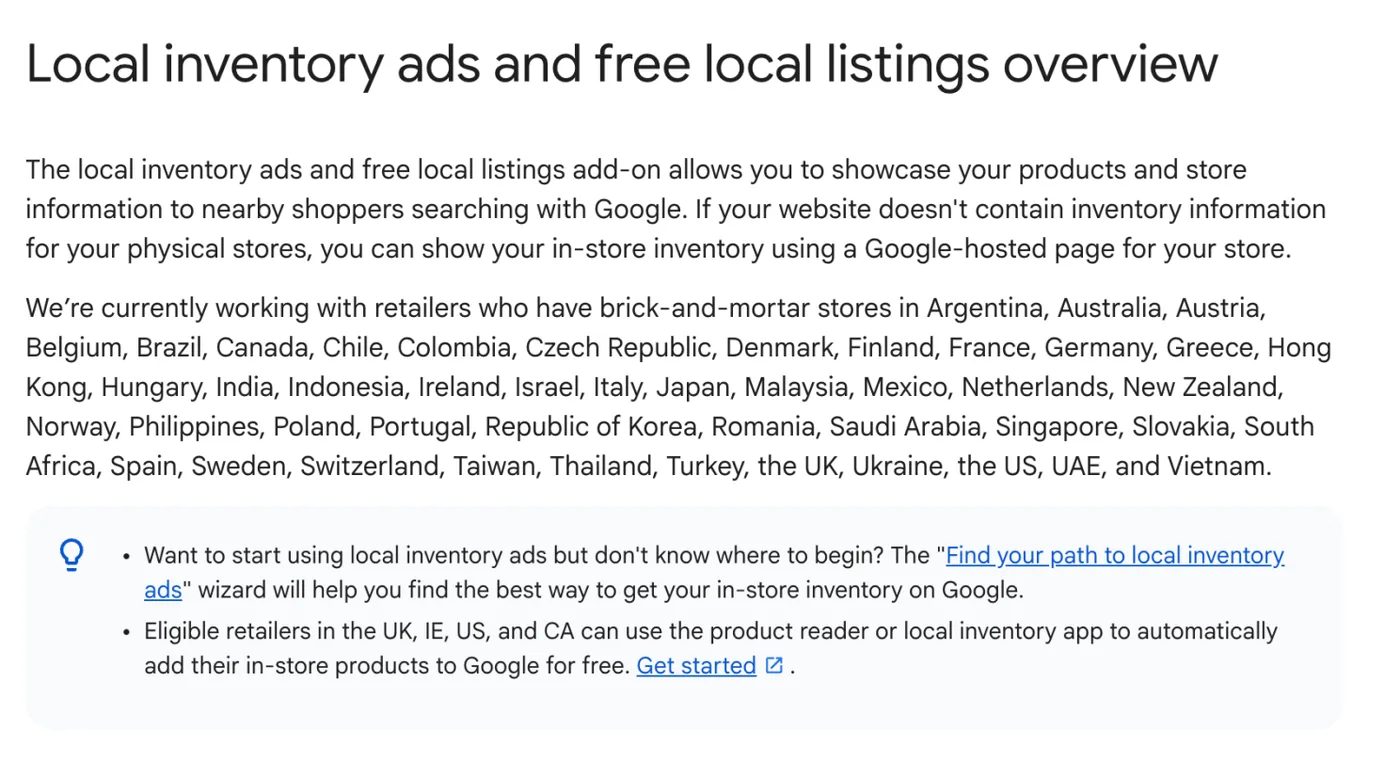
Eligible Shopping campaigns are moving towards Local Inventory Ads enabled by default, with an inventory filter replacing the previous local-products control.
What changed
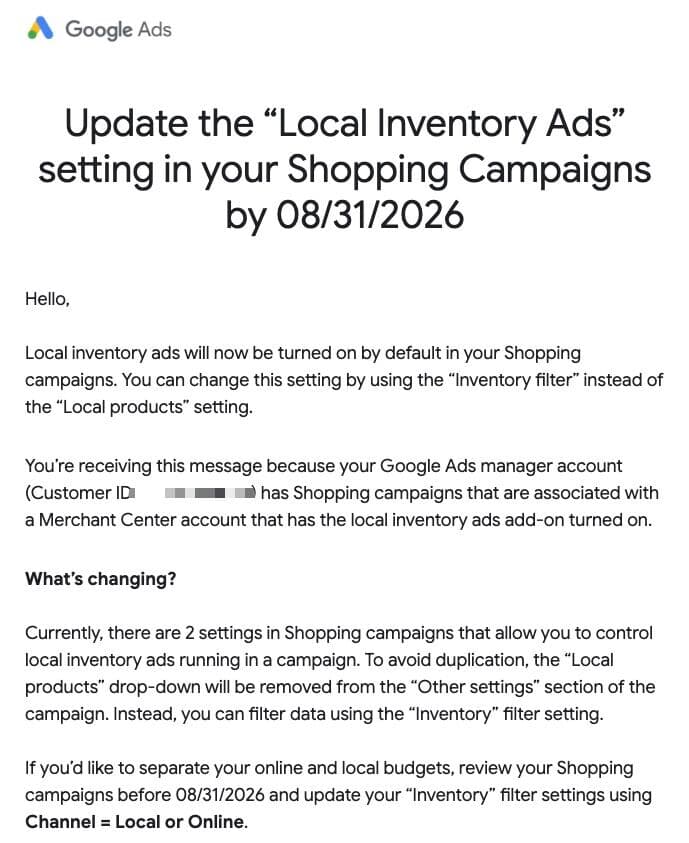
Arpan Banerjee shared a Google Ads notice about local inventory settings in Shopping campaigns. The notice says local inventory ads become enabled by default for the affected setup, and that the older Local products setting is being removed. It directs advertisers to the Inventory filter and the Channel value, Local or Online, to control the inventory used by a campaign.
The audience for the email is specific: manager accounts with Shopping campaigns connected to a Merchant Center account where the local inventory ads add-on is enabled. This is not evidence that every online-only retailer suddenly has local ads running. Start by checking the linked Merchant Center setup and the account notice, then inspect the campaign’s actual filter rather than relying on the old setting’s position in the interface.
The email asked advertisers to review separate online and local budgets before 31 August 2026. That date has passed, so the practical follow-up is now to confirm the resulting configuration and delivery. A retailer that intends different spending plans for store visits and online purchases should verify that its campaign filters still express that distinction. Keep a record of any changes already made by the team.
Why it matters for advertisers
Local availability creates a different customer promise from a product that can only be ordered online. Review whether the advertised stock, store opening hours and collection journey are accurate before evaluating additional local exposure. In reporting, separate the intended outcome of each campaign and examine whether spend has shifted between them. A default-setting change can alter the inventory mix even when the overall budget looks familiar.
What to check next
- Identify campaigns linked to Merchant Center accounts with the local inventory add-on.
- Inspect Channel filters and confirm the intended Local or Online inventory.
- Review delivery and budget allocation after the announced change date.
Sources & contributor credit
- Newsletter coverage · Paid Media Collective newsletter
Original newsletter text, contributor labels and media for this update.
- Source referenced in newsletterLinkedIn
Linked from the original newsletter. The source publication date has not been independently confirmed.

Original creator unverified
The cited source authors and any separately identified visual or tool creators are credited for their documented roles. Independent first-reporting priority is not established.
Attribution evidence and limitations
Read Arpan Banerjee’s full original post and the complete Google Ads email screenshot. Preserved the notice’s account-scope qualification and replaced pre-deadline advice with a current configuration review. No other contributor or email author was identified.
Original source links and verified profile links are retained. A missing profile remains unresolved rather than being inferred from a name match.
Viewed the complete Google Ads notice, including its recipient-scope explanation and Channel filter instruction. The recipient account identifier is obscured. No individual sender or screenshot author is named.
Attribution checked . This is a review date, not the original publication date.
- Published on this site
- Article updated
This update reflects the dated source reporting. Availability may have changed. Further coverage of this same development will be added to this page.
Original newsletter text and archive evidence
Local Inventory Ads are switched on by default for Shopping campaigns.
Google is turning Local Inventory Ads on by default in eligible Shopping campaigns and removing the "Local products" drop-down from Other settings. A new inventory filter (Channel = Local or Online) takes over, and the notice applies to accounts linked to a Merchant Centre with the local inventory add-on enabled. For you, this means campaigns that split online and local budgets need the filter set before 31 August 2026, so review your Shopping settings now.
Source captured . No explicit first-contributor label was provided for this update.