Google Tag · Status at source date: Follow-up
Google Tag Manager config events: check wildcard triggers
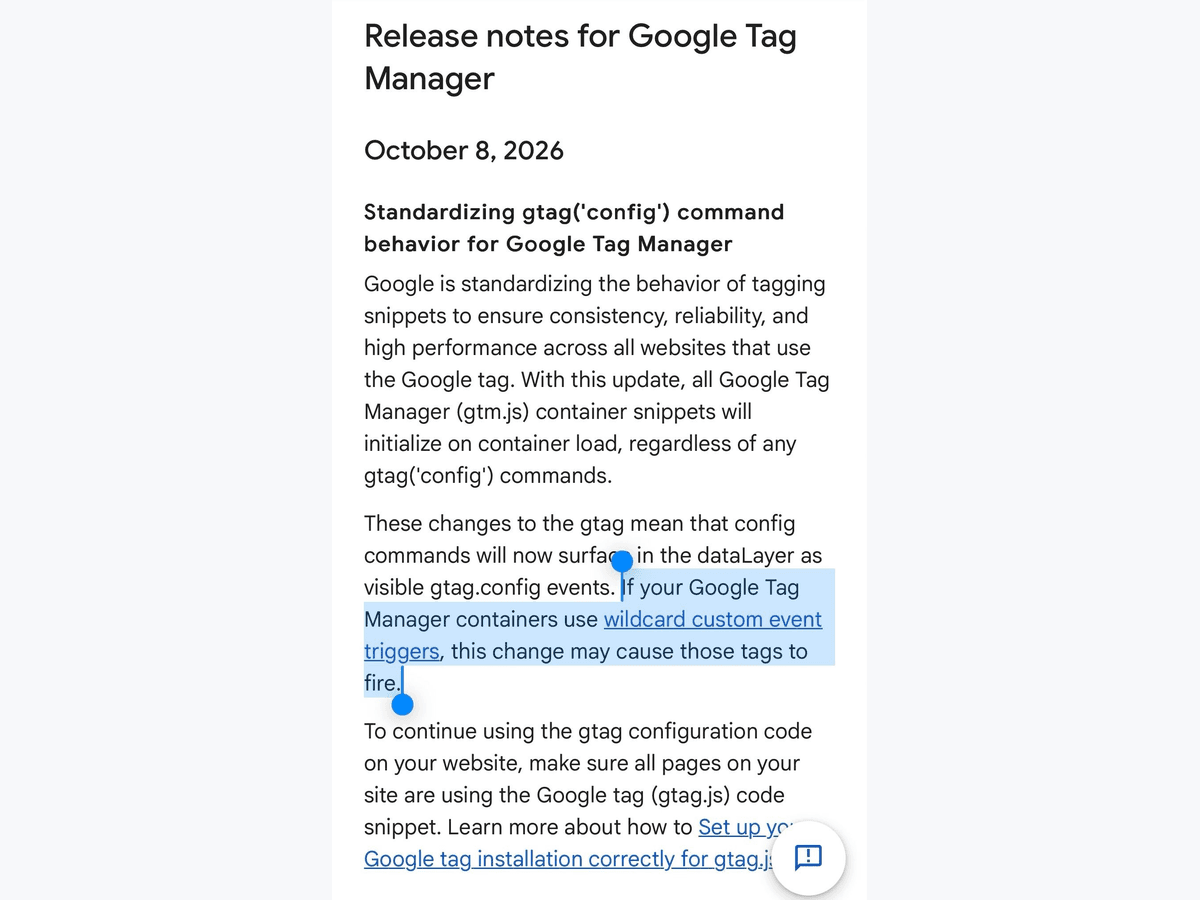
Google's 8 October release note says GTM containers initialise on load independently of gtag('config'). Configuration commands also appear as gtag.config events, which may activate wildcard custom-event triggers.
What changed
Google's October release note adds a concrete trigger check to the earlier warning about mixed tagging implementations. A container no longer waits for a separate configuration command before initialising. The new visible gtag.config event is particularly relevant where a custom-event trigger matches every event name.
The release note warns that those broad triggers may fire tags. It does not say that every container duplicates conversions, or establish the deployment state of any individual website. A rise in event counts therefore needs investigation before it is interpreted as improved marketing performance.
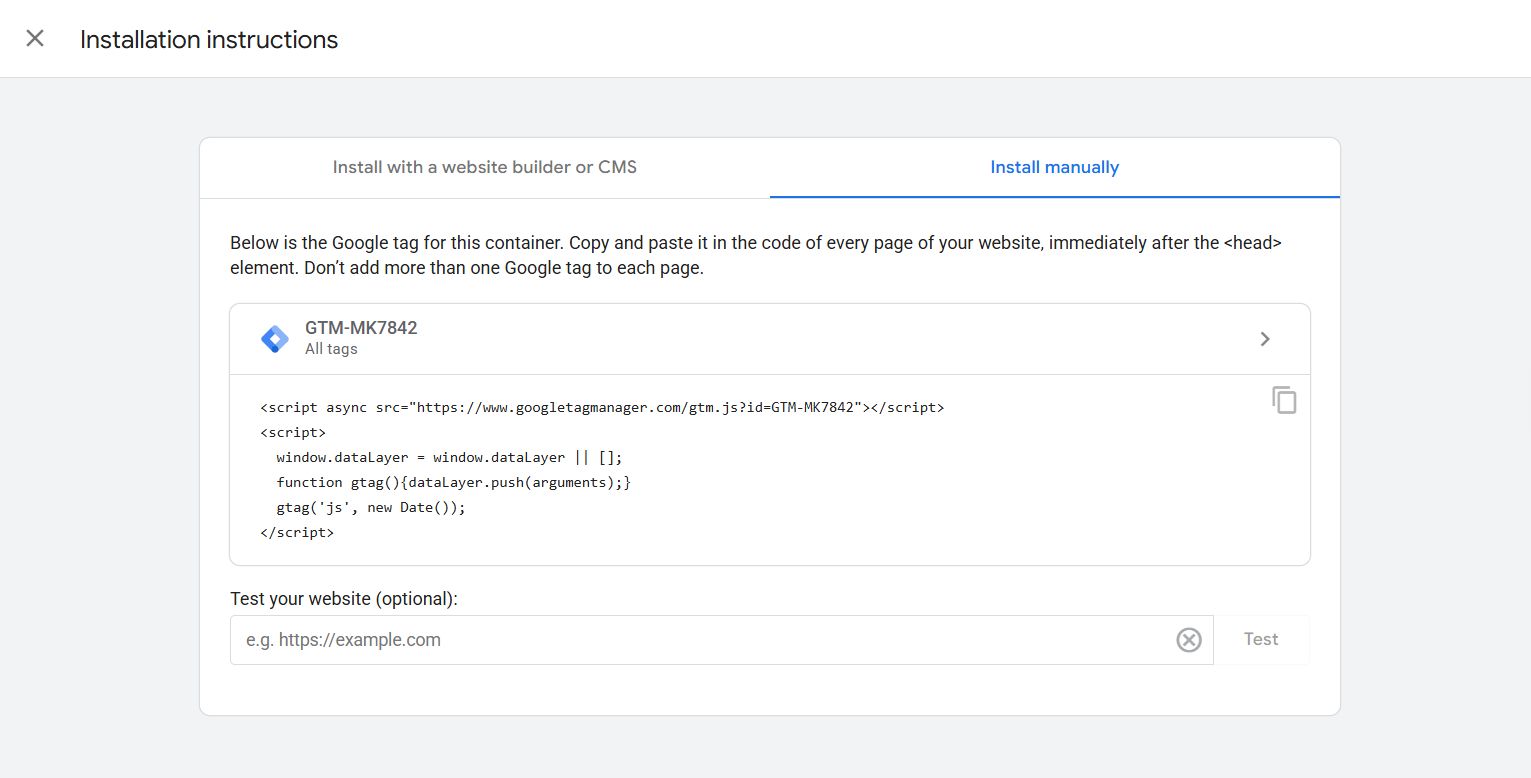
Google's linked installation guidance distinguishes the Google tag's gtag.js snippet from the GTM container's gtm.js snippet. Sites relying on standalone configuration commands should check which installation they actually use. If GTM manages other tags, Google's instructions retain the main GTM container with its GTM-prefixed ID and configure the Google tag inside GTM. Do not remove a working container indiscriminately.
For a PPC manager, the practical task is to ask the measurement owner to inspect broad custom-event triggers and compare expected tag firing in Tag Assistant. Identify which conversions feed campaign reporting or bidding, document the intended trigger conditions, and investigate unexpected additional events before changing targets or budgets. This is a recommended validation process, not evidence that PMC tested a customer's setup.
This article keeps its original August newsletter coverage and stable URL. The dated October release note provides the new behaviour and warning; the linked installation help page has no independently confirmed publication date. Neither the check date nor the original newsletter date is a rollout deadline.
Why it matters for advertisers
Unexpected tag firing can make a measurement change look like a performance change. Confirm the event path before making campaign decisions from the new counts.
What to check next
- Review wildcard custom-event triggers for unintended gtag.config matches.
- Ask the measurement owner to verify the installation and tag firing with Tag Assistant.
- Keep original coverage dates separate from the 8 October release-note update.
Sources & contributor credit
- Original official source · Google Tag Manager
Source reporting or observation date, not a universal launch date.
- Official release notes · Google Tag Manager
Dated entry explains container initialisation and the wildcard-trigger warning.
- Newsletter coverage · Paid Media Collective newsletter
Original newsletter text, contributor labels and media for this update.
- Source referenced in newsletterGoogle Ads
Linked from the original newsletter. The source publication date has not been independently confirmed.
- Newsletter coverage · Paid Media Collective Week 41
Yoann Ferrand’s newsletter curation. Original reporting, account observations and visual credits are listed separately.



Source credits reviewed
Original contributors and source authors are distinguished from later observations, visual credits and newsletter curation. An explicit observation credit does not establish first-ever discovery.
Attribution evidence and limitations
Published Week 41 copy and earlier event coverage reconciled.
Original work and earlier reporting evidence retained.
Story-specific image visually inspected and credited.
- Google Tag Manager
- Google Tag Manager
- Paid Media Collective newsletter
- Google Ads
- Paid Media Collective Week 41
Attribution checked . This is a review date, not the original publication date.
- Published on this site
- Article updated
This update reflects the dated source reporting. Availability may have changed. Further coverage of this same development will be added to this page.