Google Ads · Status at source date: Update
Google Ads Editor 2.14 adds retention settings, channel caps and background downloads, and switches AI Max on for new Search campaigns
Editor 2.14 lets you edit account-level new-customer and retention settings, set a loyalty retention goal at account and campaign level, choose a retention-only mode that bids only for lapsed customers, and manage channel prioritisation and budget caps; it supports Demand Gen animated images and video overlays, downloads accounts and statistics in the background, and turns the deprecated Local inventory ads toggle permanently on for Shopping.

What changed
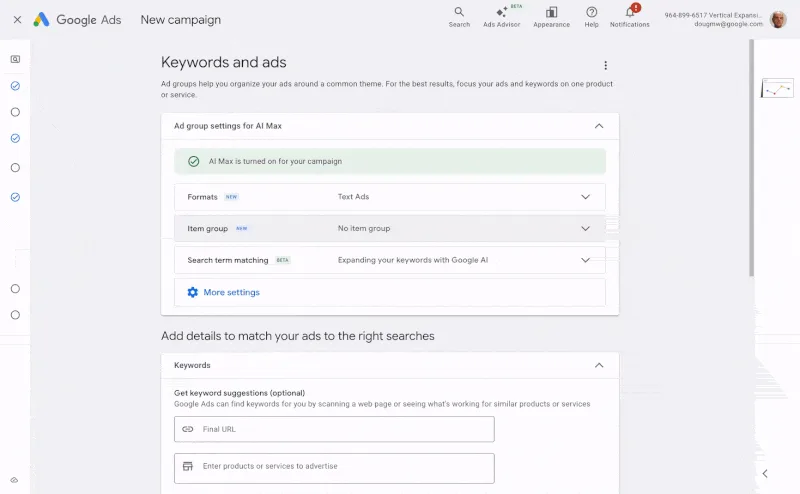
New Search campaigns created in Editor now have AI Max, text asset automation and Final URL expansion on by default. For you, this means bulk-built Search campaigns arrive with AI Max enabled, so add the three toggles to your Editor build checklist.
These changes affect both what Editor can configure and the defaults applied when a campaign is created. The default is particularly important for teams that build many Search campaigns from a standard process. A campaign can look familiar while its text generation and destination behaviour differ from the team's previous template.
Review AI Max, text asset automation and Final URL expansion individually before uploading a new Search campaign. Decide which settings match the approved landing pages and creative rules, then document those decisions in the build process. A default-on setting is a starting configuration, not evidence that every advertiser should retain it.
Retention settings introduce a separate audience and bidding question. Confirm which customers are considered lapsed and how loyalty-member information is maintained before applying a retention-only approach. Account-level settings and campaign-level choices should be reviewed together so that a bulk edit does not unintentionally change the intended customer group.
Channel caps and prioritisation also need a clear budget owner. Check the intended limits against the campaign's overall objective, and inspect the uploaded result in the live account. Background downloads may make large-account work more convenient, but they do not remove the need to verify that the account data and campaign settings being edited are current. This is a release summary, not a claim of measured performance improvement from the new controls.
Sources & contributor credit
- Original sourceGoogle Ads Editor Help
- Supporting sourceSearch Engine Roundtable


Original creator unverified
Credits reflect the editor's latest changes. Original authorship has not been independently verified for this version.
Attribution evidence and limitations
Full attribution review pending.
A source link alone does not establish original authorship.
Original image and video creators have not yet been verified.
- Published on this site
- Article updated
This update reflects the dated source reporting. Availability may have changed. Further coverage of this same development will be added to this page.