Google Ads · Status at source date: Account observation
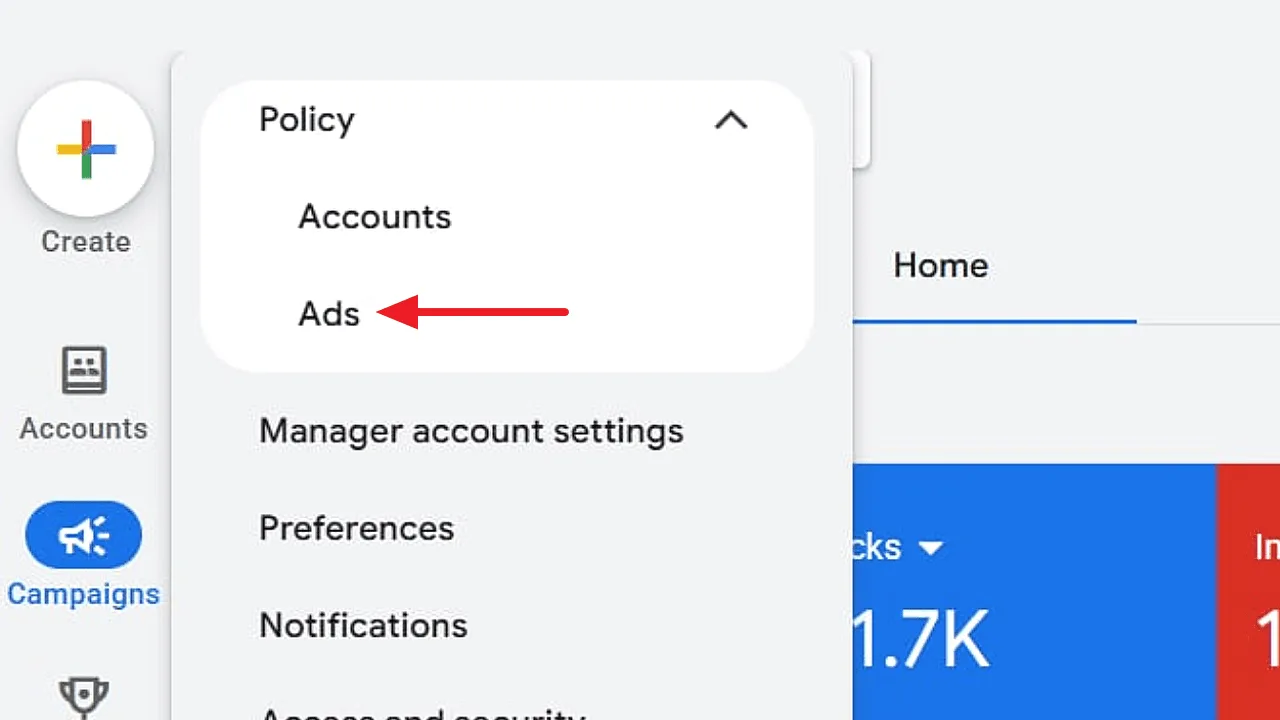
A "Policy summary" page appears under Admin > Policy
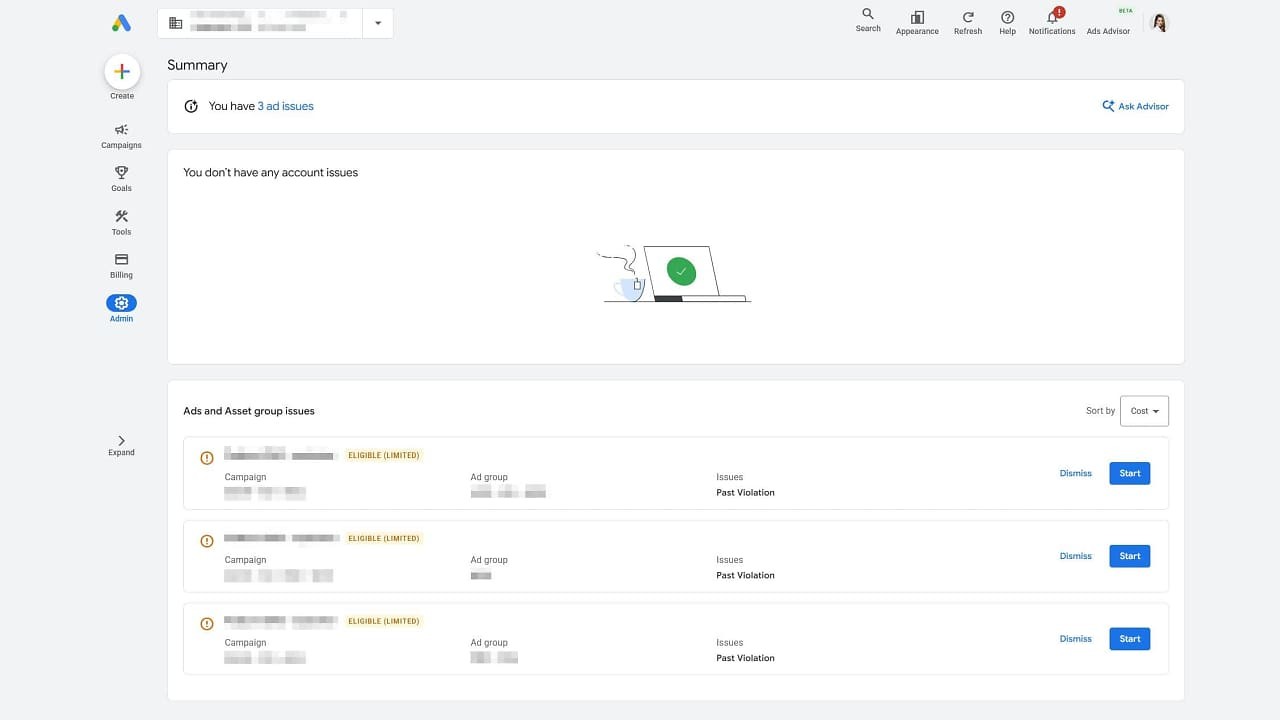
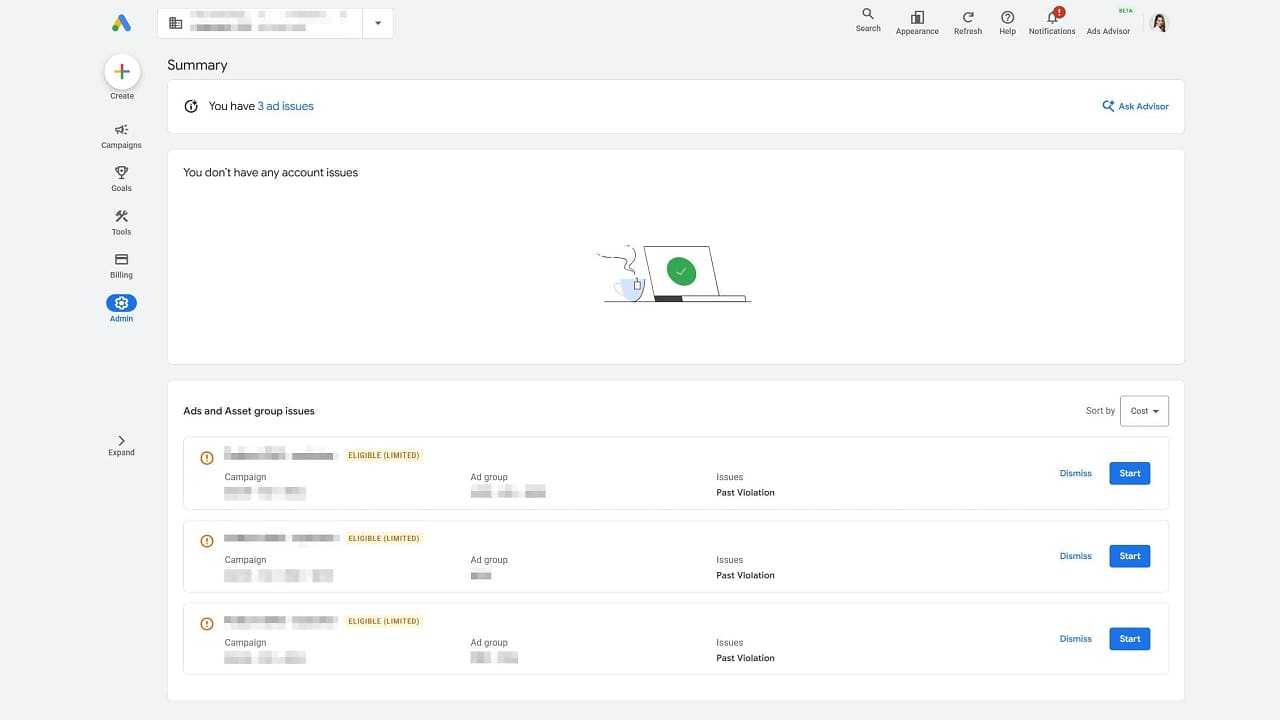
Hana Kobzová reports a Policy Summary page under Admin in Google Ads. Her 24 October account observation describes a consolidated view of policy issues affecting the account, ads and asset groups.
What changed
The reported page separates account-level issues from ad and asset-group issues. It also provides sorting by cost, conversions or return on ad spend, allowing an advertiser to review the affected activity in business context.
In the observed account, the existing Policy Manager remained available under Tools. That is an important limit: this screenshot does not establish that Google has removed Policy Manager everywhere or that every account has received the new navigation.
For a team handling disapprovals, a consolidated view could make it easier to distinguish a problem affecting the whole account from one affecting a particular asset. Sorting by campaign metrics can help organise investigation, but it does not change the substance of a policy decision or guarantee a successful appeal.
If the page appears in your account, compare its issues with the existing policy view and assign a clear owner to each action. Keep the exact policy message, affected asset and response history together. Treat this as a reported interface observation rather than a confirmed universal rollout.
If the summary appears in an account, compare its entries with the policy information already shown for the affected ads and assets. Check the reason, affected item and available review action before making changes. A consolidated page can help an operator find issues, but its presence does not prove that enforcement criteria or appeal rights changed. Keep screenshots and the time of the observation when reporting differences across accounts; a page missing from another account is not enough to infer a delivery problem or an account restriction.
Sources & contributor credit
- Original reportHana Kobzová
Original source dated 2026-10-24. Account observations do not establish a universal rollout.
- Newsletter coveragePaid Media Collective
Published Week 43 edition; source for the approved credit, image and wording reconciliation.

Original creator unverified
Credits reflect the editor's latest changes. Original authorship has not been independently verified for this version.
Attribution evidence and limitations
Full attribution review pending.
A source link alone does not establish original authorship.
Original image and video creators have not yet been verified.
- Published on this site
- Article updated
This update reflects the dated source reporting. Availability may have changed. Further coverage of this same development will be added to this page.